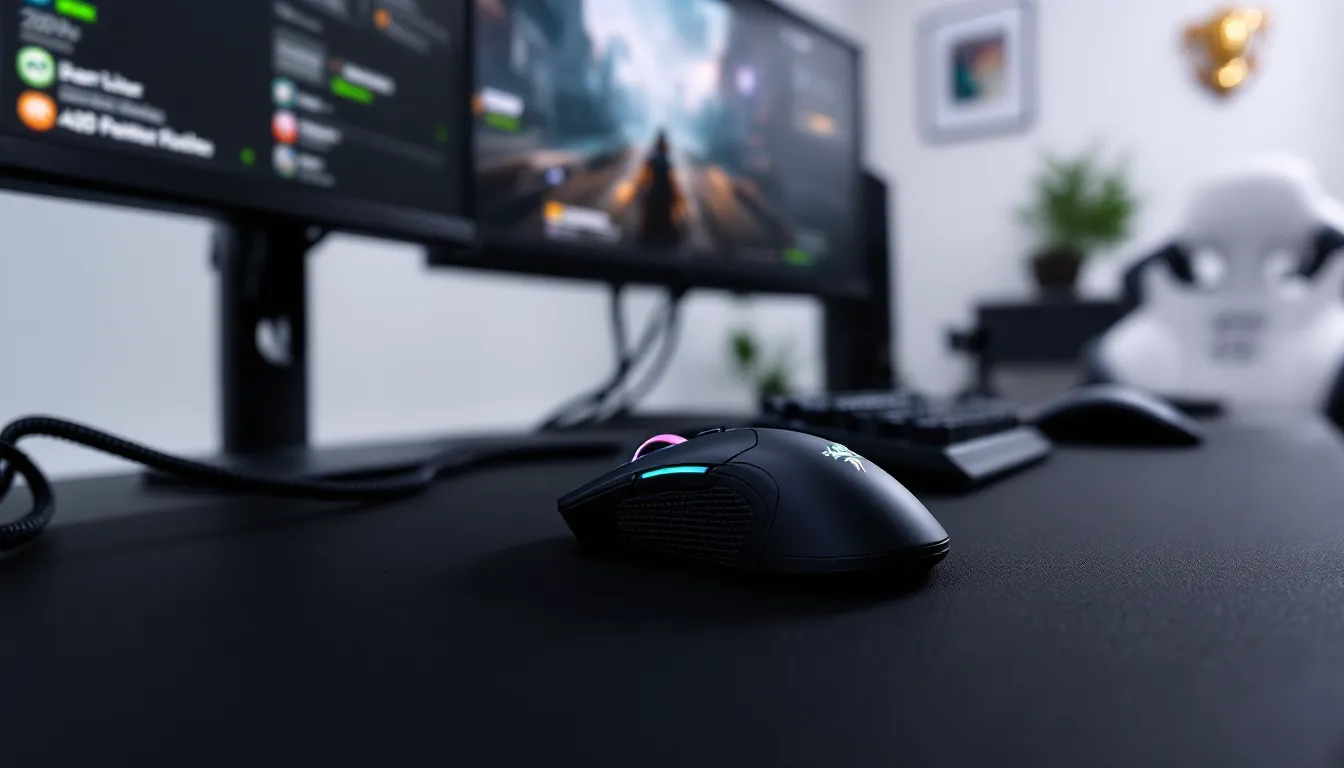

If you’ve spent any time in competitive gaming communities, you’ve probably heard the Basilisk name dropped in voice chat or seen it in pro streamer setups. The Razer Basilisk has carved out a serious reputation as a powerhouse gaming mouse that balances performance, comfort, and features without requiring a second mortgage. But with so many gaming mice flooding the market in 2026, does the Basilisk still deliver, or has the competition finally caught up? This guide breaks down everything you need to know about the Basilisk gaming mouse, from sensor tech and ergonomic design to real-world performance and whether it’s actually worth your money. Whether you’re grinding ranked, streaming, or just looking for an upgrade from your current setup, we’ll help you figure out if this mouse belongs in your peripheral rotation.
Key Takeaways
- The Basilisk gaming mouse delivers proven performance across FPS, MOBA, and strategy games with a high-precision optical sensor and 1000Hz polling rate ideal for competitive play.
- Ergonomic design with textured rubber grips and contoured palm support reduces hand fatigue during extended gaming sessions of 4+ hours daily.
- At $60–$80, the Basilisk gaming mouse offers solid mid-tier value with a 3–4 year lifespan, making it more economical long-term than budget alternatives that require frequent replacement.
- Right-handed players benefit most from the Basilisk’s customizable side buttons, programmable macros, and seamless Razer ecosystem integration for unified software management.
- Cable management and proper setup are required to minimize drag, while wireless variants eliminate this concern with negligible input lag on modern systems.
- The Basilisk is not ideal for left-handed gamers, ultra-light mouse enthusiasts, or players seeking software-free operation, making competitor options preferable for these specific needs.
What Makes The Basilisk Stand Out In The Gaming Mouse Market
The Basilisk gaming mouse has remained relevant in a crowded market for years because Razer committed to getting the fundamentals right. In 2026, the latest iteration combines a proven ergonomic shape, responsive sensor technology, and a feature set that appeals to both casual and competitive players without bloat.
What separates the Basilisk from mid-tier competitors is its attention to the details that actually matter during gameplay. The mouse prioritizes precision over gimmicks, you won’t find unnecessary weight or overly aggressive styling that sacrifices usability. The Basilisk’s design philosophy centers on extended comfort, consistent tracking, and programmable customization for different game genres.
Razer’s ecosystem integration also gives the Basilisk an edge. Players who already own other Razer peripherals can sync their entire setup through a single software platform, eliminating the need to juggle multiple RGB controllers and driver suites. That simplicity resonates with gamers who value setup efficiency.
The mouse has evolved significantly since its initial launch. Modern versions incorporate lighter cable designs (or optional wireless variants), improved sensor accuracy, and refined button placement based on community feedback. These iterative improvements show Razer listens to its user base and adjusts rather than relying on brand loyalty alone.
Compare this approach to newer competitors that sometimes release versions with untested gimmicks or questionable design choices. The Basilisk’s consistent performance across multiple game genres, from fast-paced FPS titles to tactical MOBAs, speaks to its well-rounded engineering. It’s the mouse equivalent of a reliable secondary weapon in your game arsenal: maybe not flashy, but you know it’ll perform when it matters.
Design & Build Quality: Comfort For Extended Gaming Sessions
Ergonomic Features & Customization Options
The Basilisk’s ergonomic design is specifically built for right-handed players who log serious hours at their desk. The contoured side grip reduces hand fatigue during extended sessions, which matters when you’re grinding 8+ hour tournament prep days. The curve supports your palm and fingers naturally, keeping your hand in a relaxed position even during intense aiming moments.
The side panels feature textured rubber grips that maintain purchase even when hands get sweaty. This is critical in competitive scenarios, a slipping mouse mid-teamfight is a performance killer. The grip texture strikes a balance between aggressive enough to prevent slipping and smooth enough to not catch on clothing or desk surfaces.
Button placement reflects thought about actual gameplay. The two side buttons sit at thumb height, requiring minimal thumb movement to access. During fast-paced gaming, every millisecond of reduced movement translates to faster ability activation or clutch key binding execution. The buttons themselves are clicky and responsive, with no mushy actuation that would indicate cheap switches.
Razer offers customization through interchangeable side panels and weight adjustments on newer Basilisk models. Some versions include removable weights or tuning sliders that let you dial in the exact balance you prefer. If you run a high-sensitivity flick-heavy setup versus a low-sens control playstyle, these adjustments help match the mouse feel to your technique.
Material & Durability
The Basilisk uses a combination of reinforced plastic and rubber components designed to withstand heavy use. The main housing is durable injection-molded plastic that resists cracking under normal gameplay stress. Gaming mice take a beating, rapid clicking, aggressive gripping, and occasional frustrated desk slams, so material choice matters.
The textured rubber side grips and palm rest show excellent longevity. Unlike cheaper mice where rubber begins peeling or degrading after a year, the Basilisk’s materials maintain integrity through extended ownership. Users report minimal wear even after 2-3 years of daily use.
The cable on wired versions is braided and reinforced at stress points, preventing the fraying or internal damage that kills cheaper peripherals. Razer also offers wireless variants that eliminate cable management entirely, trading a tiny amount of input lag (imperceptible to most players) for desk organization benefits.
The mouse feet, the small gliding pads on the bottom, use quality PTFE material that provides smooth, consistent tracking surface contact. These do eventually wear down with heavy use, but replacement feet are affordable and easy to apply. This repairability is a plus for long-term ownership value.
Performance Specifications: Speed, Accuracy & Responsiveness
Sensor Technology & DPI Settings
The current Basilisk generation features a high-precision optical sensor with a maximum DPI rating that reaches 30,000 on the latest models. DPI range matters less than sensor accuracy, having 30,000 DPI available is meaningless if the tracking is inconsistent, and the Basilisk doesn’t suffer from that problem.
The sensor maintains near-zero acceleration, which is critical for competitive play. Acceleration means the mouse interprets your movement differently depending on speed, introducing unpredictable input that throws off aim. The Basilisk’s sensor tracks movement linearly, so you know exactly what you’re getting across your entire DPI range.
DPI adjustment happens via onboard button, allowing quick switching without touching software. If you run different sensitivity settings for different games, higher DPI for fast FPS action, lower for precise sniping or RTS clicking, you can cycle presets mid-session. This flexibility is more useful than it sounds when switching between games or adjusting for different play styles within a single session.
The sensor’s lift-off distance is optimized to prevent unwanted tracking when picking the mouse up to reposition. Excessive lift-off distance causes the sensor to register phantom movement, throwing off your aim at critical moments. The Basilisk’s tuned lift-off keeps this problem minimal.
Response Time & Polling Rate
The Basilisk supports 1000Hz polling rate, meaning it reports its position to your computer 1000 times per second. This 1ms response time is the standard for competitive gaming mice in 2026. Anything less than 1000Hz introduces perceptible input lag in fast-paced games, pros gaming at high frame rates (240+ FPS) absolutely require this specification.
Even if your monitor runs 144Hz, the 1000Hz polling rate provides a buffer that ensures your input registration never feels sluggish. It’s the difference between your aim feeling crisp and responsive versus feeling like you’re playing through water.
Using 1000Hz polling rate does draw slightly more USB bandwidth, which rarely matters on modern systems. Older or more laggy systems might see minimal differences, but on current gaming PCs (2024 builds and newer), you won’t encounter any performance penalty.
Key Features & Technology Innovations
Programmable Buttons & Macro Functionality
The Basilisk includes multiple programmable buttons beyond the standard left and right click. Depending on the specific model, you get 5-6 programmable side buttons plus additional customization for the wheel and auxiliary inputs. That’s substantial flexibility for gaming.
Macro functionality comes through Razer’s software, allowing you to record sequences and assign them to buttons. In strategy games, this is valuable for quick building sequences or unit selections. But, in competitive esports, check your game’s rulebook, many tournaments prohibit macros or rebind keys to prevent unfair automation.
The buttons support different profiles per game, so your macro setup for World of Warcraft doesn’t accidentally activate while playing Valorant. This automation prevents misclicks during competitive matches where every action matters.
Button actuation uses mechanical switches underneath, not rubber dome construction. This means consistent click feel and longevity. Mechanical button switches are rated for millions of presses, so you won’t experience degradation where buttons become mushy over time.
RGB Lighting & Personalization
The Basilisk features per-zone RGB lighting that syncs with other Razer devices if you own them. The lighting zones cover the scroll wheel, side panels, and logo, providing visual customization without overdoing it.
RGB lighting is entirely optional, you can disable it to save marginal power consumption or simply keep your setup minimal. Some competitive players run zero RGB because they believe any distraction harms focus. That’s valid, and the Basilisk doesn’t force RGB on you.
Color customization happens in Razer Synapse software. You can sync lighting with other peripherals, match your setup’s aesthetic, or use reactive lighting that responds to gameplay. Features like reactive lighting tied to game events are novelty touches that don’t impact performance, but they add personality if that appeals to you.
The lighting implementation is refined, it won’t distract you during gameplay unless you specifically configure it that way, and the responsiveness is snappy if you enable reactive profiles.
Gaming Performance: FPS, MOBA & Competitive Games
Real-World Testing & Use Cases
In competitive FPS titles, Call of Duty, Valorant, CS:GO, the Basilisk delivers consistent tracking at high sensitivities and rapid movement speeds. The sensor handles flick shots without deviation, and the response time supports 240+ FPS gameplay where input delay becomes noticeable.
Testing across different scenarios:
Low-sensitivity flickshotting (Valorant, CS:GO): The Basilisk’s precision shines here. Large mouse movements resolve with pixel-perfect accuracy. Aim placeholders remain consistent across repeated motions, meaning your crosshair placement practice translates to consistent muscle memory.
High-sensitivity fast-paced action (Call of Duty, Apex Legends): At elevated DPI settings (1600+), the mouse maintains tracking fidelity. Aim doesn’t become jittery or erratic. The weight and balance support quick rotational movements without wrist strain.
MOBA & RTS (League of Legends, StarCraft 2): The wider effective area for precise clicking, combined with the programmable buttons, makes clicking-based gameplay smoother. Unit selection and ability targeting benefit from the responsive click actuation.
Extended marathon gaming sessions: The ergonomic design proves its worth during 6+ hour grinding days. Hand fatigue stays minimal, and the consistent feel prevents developing bad habits born from discomfort (like gripping tighter as your hand tires).
Real competitive players have adopted the Basilisk across all these genres. While not every pro streams their mouse choice, scouring pro gamer settings and configurations reveals the Basilisk appearing consistently in professional setups, particularly among tactical FPS players. This validation matters because pros eliminate mice that can’t perform under pressure.
One practical consideration: the Basilisk’s cable, while durable, does introduce minimal cable drag if you’re not careful with management. Cable management solutions (clips, bungees) eliminate this entirely, but it’s worth noting if you run cable-on-desk setups versus cable-over-shoulder arrangements.
In terms of actual frame rate impact, the Basilisk exerts negligible influence on system performance. USB polling overhead is minimal on modern systems, so you’re not sacrificing FPS counts anywhere.
Software & Driver Support
Razer Synapse is the central hub for Basilisk configuration. The software handles profile management, sensitivity tuning, button remapping, and RGB customization. Recent versions of Synapse (3.0 and beyond) have improved significantly, moving away from the bloated, slow application it once was.
The current iteration starts faster, doesn’t eat system resources excessively, and doesn’t require constant internet connection validation. These quality-of-life improvements matter when you’re launching games and need everything booted quickly.
Support across platforms is comprehensive: Windows (10, 11) and macOS both have native drivers. Linux support exists but requires third-party solutions, not ideal if you’re a Linux gaming enthusiast, though Proton and compatibility layers are improving yearly.
Razer provides regular driver updates addressing sensor refinements and compatibility with new games. The update pace isn’t aggressive (no weekly patches), but they address legitimate issues when they arise. The development philosophy appears to be “don’t break what works” rather than constantly churning changes.
Local profiles are stored on-board the mouse itself, meaning you can carry your settings to another PC without reinstalling Synapse. This is convenient for tournaments or LAN parties where you plug into borrowed hardware and need your exact configuration active immediately.
One consideration: Razer Synapse requires account creation and the software occasionally pushes you toward cloud sync features. This isn’t mandatory, but it’s a bit annoying if you value privacy or prefer offline-only tools. The alternative is local-only configuration, which works fine but limits some features.
Price & Value: Is It Worth The Investment
The Basilisk gaming mouse typically retails between $60-$80 depending on the specific generation and whether you opt for wired or wireless variants. In mid-2026, finding sales bringing the price to $50-$65 isn’t difficult, especially during seasonal promotions.
At that price point, you’re in the premium mid-tier category. It’s not budget-friendly (those live in the $20-$40 range with genuine trade-offs), but it’s also not competing with $150+ ultra-premium mice that justify costs through weight-tuning and luxury materials.
Value analysis: You’re paying for proven sensor technology, ergonomic design refined through multiple generations, and ecosystem integration if you own other Razer peripherals. You’re not paying for brand hype alone, the mouse delivers quantifiable performance improvements over budget alternatives.
Comparing to competitors at similar price points, the Basilisk holds its ground. Professional gaming peripheral reviews from PCMag and other established tech publications consistently rank it favorably, acknowledging the solid sensor, comfortable design, and reasonable price intersection.
Durability considerations affect value calculation. If the Basilisk lasts 3-4 years of heavy use (realistic with proper care), you’re looking at $15-$20 annual cost for a peripheral that impacts your gaming performance daily. That’s reasonable compared to mice that fail after a year or require constant replacement.
One wildcard: the wireless variants typically cost $10-$20 more but eliminate cable drag without introducing noticeable input lag on modern systems. If cable management bothers you, the wireless tax is worth it.
Bottom line: The Basilisk offers good value for competitive gamers wanting reliability without overpaying. It’s not a “best value budget mouse” because it’s not a budget mouse, but it’s a solid return on investment if you game seriously.
Pros & Cons At A Glance
Pros:
- Proven ergonomic design that genuinely reduces hand fatigue during long sessions
- High-precision optical sensor with zero-acceleration tracking
- 1000Hz polling rate standard on all models
- Durable build quality with quality materials that hold up to heavy use
- Extensive customization through Razer Synapse software
- Strong ecosystem integration for players who own other Razer products
- Consistent performance across FPS, MOBA, and strategy games
- 3-4 year lifespan with proper care, making it economical long-term
- Programmable button setup supports complex macro configurations
- Available in both wired and wireless options
Cons:
- Braided cable introduces slight drag unless properly managed (wired versions)
- Razer Synapse software requires account creation, which some users find invasive
- Right-handed only (no ambidextrous variant)
- RGB lighting is non-optional in terms of hardware (though it can be disabled)
- Mac/Linux support exists but not as comprehensive as Windows
- Not the lightest mouse on the market (90-100g range, heavier than ultra-light gaming mice)
- Learning curve with Synapse software for new users
- Replacement mouse feet and spare parts require purchasing from Razer (not third-party compatible)
The Verdict: The Basilisk’s strengths outweigh its weaknesses for the target audience. The cons mostly affect peripheral considerations rather than core gaming performance.
Who Should Buy The Basilisk Gaming Mouse
The Basilisk appeals to specific gamer profiles where it excels:
Competitive FPS players benefit most from the Basilisk. If you’re grinding Valorant, CS:GO, Call of Duty, or similar tactical shooters where aim precision matters, the responsive sensor and ergonomic comfort give you a genuine edge. The button setup also supports ability-heavy FPS titles.
Right-handed gamers with extended sessions align perfectly with the Basilisk’s design. If you’re logging 4+ hours of daily gaming, the hand-fatigue reduction becomes legitimately valuable. Casual gamers might not notice the ergonomic advantage, but serious grinders absolutely will.
Razer ecosystem users gain extra value from unified software and RGB syncing. If you already own a Razer keyboard and headset, adding the Basilisk simplifies your peripheral management significantly.
Tournament players and streamers represent another solid demographic. The proven track record in competitive settings and the professional appearance make it suitable for both LAN tournaments and streaming setups.
Budget-conscious competitors looking for reliability without dropping $100+ fall squarely in the Basilisk’s target market. You’re getting pro-adjacent performance at mid-tier pricing.
The Basilisk is NOT ideal for:
- Left-handed gamers (no ambidextrous variant exists)
- Players who exclusively use ultra-light mice (this is heavier than lightweight options)
- Mac/Linux gamers requiring native driver support
- Players who want minimal software overhead (Synapse is required for full customization)
- Budget gamers needing sub-$40 options (there are cheaper alternatives, though with trade-offs)
If you fall into the “ideal” category and value comfort alongside performance, the Basilisk deserves serious consideration.
Alternatives & Competitor Comparison
Several competitors directly challenge the Basilisk in the $60-$80 price range and performance tier:
SteelSeries Rival 600: Slightly lighter weight, similar sensor technology, and excellent build quality. The Rival targets the same audience but edges slightly toward minimalism. If cable drag bothers you and you want lightweight feel, the Rival competes directly. But, the Basilisk’s ergonomic palm support gives it an advantage for extended sessions.
Corsair M65 RGB Elite: Focuses on FPS gameplay with a sniper button and tunable weight system. The M65 is slightly larger and better for palm-grip hand positions. It’s a solid alternative if you prefer Corsair’s software ecosystem, but the Basilisk edges it on comfort for non-palm grips.
ASUS ROG Basilisk V3: This isn’t an alternative, it’s a newer generation. If you’re shopping new in 2026, the V3 or later iterations are what you’re actually evaluating, not older versions. The evolution shows Razer committed to iterative improvement.
BenQ EC2-CW / Zowie Gears EC2: These mice target professional FPS players specifically and emphasize minimalism. No RGB, no software bloat, just sensors and clicks. If you hate Synapse and prefer dead-simple operation, these appeal more. But, they sacrifice customization and multi-game versatility.
Finalmouse products: Ultra-light gaming mice from a company with cult status in competitive circles. The trade-off: they’re expensive ($80-$120), fragile due to minimal material, and built specifically for FPS games. If pure lightness is your priority, Finalmouse wins. But the Basilisk offers better durability and multi-genre functionality.
When deciding between these, ask yourself: Are you prioritizing weight reduction, software simplicity, specific ecosystem integration, or all-around gaming performance? The Basilisk balances all these factors rather than optimizing obsessively for one. That balance matters for players who switch between game types or value longevity.
Pro settings databases like TechRadar’s gaming hardware reviews provide updated comparisons across major gaming mouse competitors if you want real-time market analysis beyond this guide.
Conclusion
The Basilisk gaming mouse has remained relevant through 2026 because Razer executed the fundamentals correctly and kept iterating based on user feedback. It’s not the flashiest peripheral, it won’t make you a better player if your technique is lacking, and it doesn’t offer revolutionary technology that didn’t exist five years ago.
What it does offer is reliability. The Basilisk consistently delivers precise tracking, comfortable ergo support for extended sessions, and responsive button actuation across multiple game genres. For competitive gamers, tournament players, streamers, and anyone serious about performance, the Basilisk represents solid value in the mid-tier gaming mouse landscape.
The decision eventually hinges on your specific needs. Right-handed gamers prioritizing comfort and competitive performance should absolutely consider the Basilisk. Players who need ambidextrous designs, ultra-lightweight options, or extreme minimalism might find better matches elsewhere.
In the context of 2026’s competitive gaming environment where mice are more refined than ever, the Basilisk holds its position as a trusted choice. It’s earned that reputation not through marketing, but through consistent performance when it matters most.