
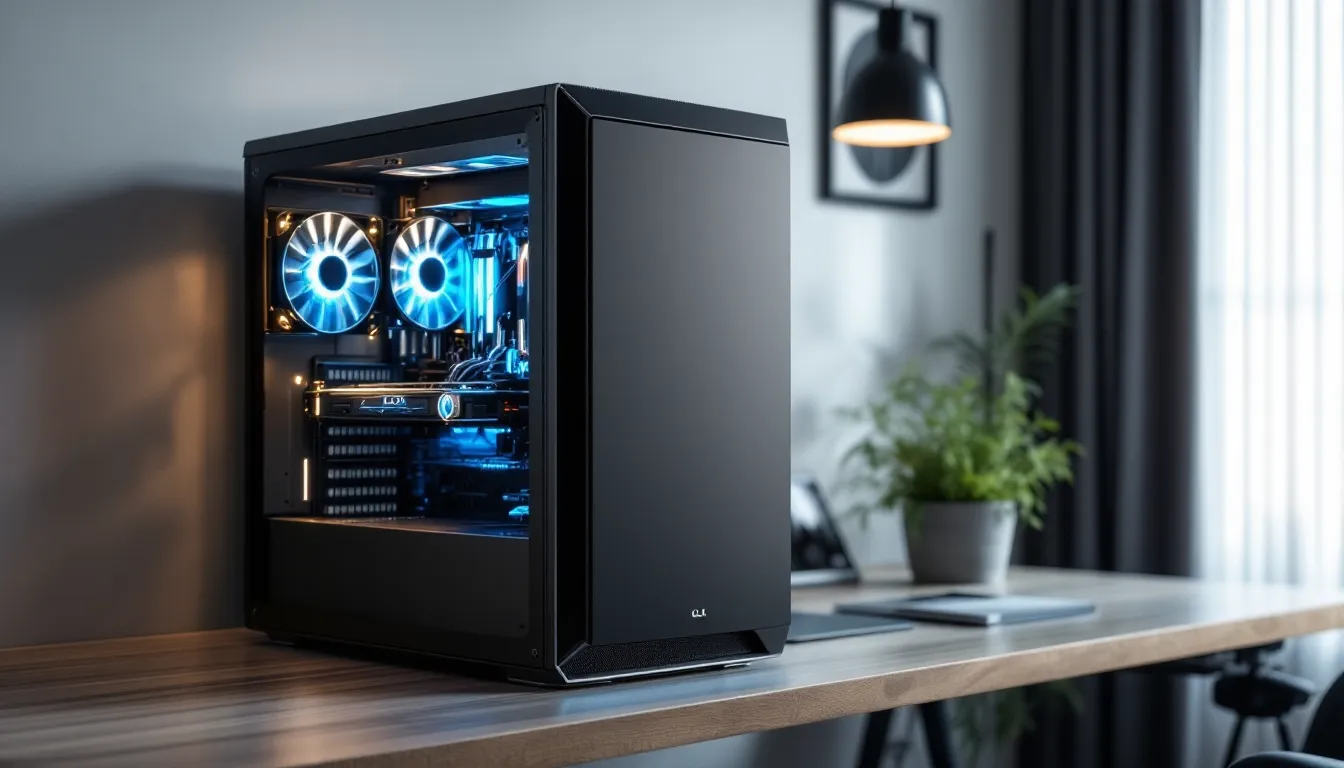

CLX Gaming PCs have carved out a serious reputation in the enthusiast and competitive gaming space. If you’re shopping for a pre-built gaming machine that doesn’t compromise on components or build quality, CLX shows up on shortlists for good reason. This guide breaks down what makes CLX gaming systems tick, from specs that matter to real-world performance, helping you decide if a CLX rig aligns with your gaming goals, whether you’re grinding ranked matches, streaming to thousands, or just want a machine that handles anything you throw at it without breaking a sweat.
Key Takeaways
- CLX Gaming PCs deliver balanced, professionally tested builds that eliminate compatibility headaches and component lottery risks, making them ideal for competitive gamers and content creators who can’t afford downtime.
- Mid-range CLX systems paired with RTX 4070 Ti/4080 and modern i7/i9 processors achieve consistent 1440p 100+ FPS gaming and handle streaming, 4K editing, and esports titles without thermal throttling.
- Pricing ranges from $1,200–$3,500+, with transparent spec sheets and fair value positioning that justifies the 10–15% prebuilt premium through warranty, stability, and saved research time versus custom building.
- Proper optimization—including a high-refresh monitor (144Hz+), current GPU drivers, and cleaned background processes—is essential to unlock real-world performance from any CLX gaming PC regardless of tier.
- CLX machines support straightforward GPU, RAM, and storage upgrades with adequate PSU headroom and warranty protection, giving you flexibility to extend lifespan and future-proof your investment for 3–5 years.
What Is CLX Gaming and Why It Matters
CLX is a boutique gaming PC manufacturer specializing in high-end, custom-built systems tailored to gamers who value precision and performance. Unlike mass-market brands, CLX focuses on enthusiast-grade components and meticulous assembly rather than cutting corners to hit a price point.
The appeal is straightforward: you get a professionally validated build from day one. Every CLX rig undergoes testing before shipment, which reduces the headache of DOA components or mismatched hardware. For gamers who don’t want to spend weeks researching compatibility, troubleshooting driver conflicts, or second-guessing their part selections, a CLX system removes that friction.
Why this matters in 2026 is that GPU availability and component pricing have normalized, but the gap between a mediocre prebuilt and a thoughtfully engineered one has widened. Cheap prebuilts often pair flagship GPUs with undersized power supplies, cheap cooling, and bottlenecked CPUs. CLX typically avoids this trap, ensuring the system is balanced for the hardware inside it.
Competitive gamers especially benefit from this approach. Whether you’re chasing consistent 240+ FPS in Counter-Strike 2, pushing 144+ in Valorant, or maxing settings in Black Myth: Wukong, a properly specced CLX build delivers reliability and performance without the lottery of custom-building or hoping a mass-market prebuilt won’t disappoint six months in.
CLX Gaming PC Specifications and Performance Benchmarks
Processor and GPU Configurations
CLX offers tiered builds spanning entry-level 1440p gaming up to extreme 4K and ultrawide setups. Their current lineup typically features recent-generation processors from Intel (Core Ultra or 13th/14th Gen Core i7/i9) or AMD (Ryzen 7/9 series), paired with NVIDIA RTX 40-series or AMD RDNA 3 GPUs.
For example, a mid-range CLX build might pair an RTX 4070 Ti Super with an Intel i7-14700K, targeting 1440p ultra at 144+ FPS across modern AAA titles. Their high-end flagships venture into RTX 4090 territory with i9-14900K setups, which comfortably handles 4K 120+ FPS or ultrawide 1440p at maxed settings.
Frame rate performance varies by game and resolution:
- Esports titles (CS2, Valorant, Overwatch 2): 240+ FPS at 1080p ultra or 1440p with RTX 4070 Ti and above
- AAA single-player (Baldur’s Gate 3, Starfield, Black Myth: Wukong): 60-100+ FPS at 4K ultra with RTX 4080/4090
- Competitive FPS with max settings (Helldivers 2, Apex Legends): 100-165+ FPS at 1440p with RTX 4070 Ti
GPU choice drives the experience more than CPU at high refresh rates, though a balanced pairing ensures the CPU doesn’t become the bottleneck. CLX generally avoids pairing mid-tier GPUs with overkill CPUs or vice versa.
Memory and Storage Options
Most CLX configurations ship with 32GB DDR5 RAM, which is the sweet spot for 2026 gaming and streaming. Competitive gamers might argue 16GB suffices for pure gaming, but 32GB provides headroom for background applications, streaming overlays, or quick alt-tabbing.
Storage typically includes at least a 1TB NVMe SSD (usually Gen4, sometimes Gen5 depending on the tier). Premium builds often include dual drives: a 1TB NVMe for OS and primary games, plus a 2TB secondary SSD for the rest of your library. This setup keeps load times snappy: you’re looking at 10-20 second average load times in AAA games versus 30-45 seconds on SATA drives.
Fast storage matters for competitive gaming too. Valorant and CS2 load so quickly on NVMe that you can queue, load, and be in-game while others are still watching the loading screen. For streamers, faster storage reduces hitching when accessing large media libraries.
Thermal Management and Cooling Systems
CLX typically employs either premium AIO (all-in-one liquid coolers) like NZXT Kraken or be quiet. or high-end air cooling setups with quality tower coolers. For high-end builds with 14th-gen i9s and 4090s, dual-radiator or 360mm AIOs are standard.
Thermal consistency matters. A well-cooled system maintains stable clock speeds and avoids thermal throttling during long gaming or streaming sessions. CLX machines usually stay in the 60-75°C range under load with room temperature around 22°C, which is solid. You’re not looking at 80°C+ sustained, which would suggest inadequate cooling for the hardware.
Case design also plays a role. CLX often uses cases with good airflow (like Corsair 5000D or Lian Li O11), avoiding aesthetics-over-function pitfalls that trap heat. Cable management is clean, which improves airflow and makes future upgrades easier.
Comparing CLX Gaming PCs to Competitors
CLX competes in the premium prebuilt space alongside brands like NZXT BLD, Corsair Vengeance, Alienware, and Origin PC. The key differentiator is usually customization flexibility combined with component quality.
NZXT BLD is faster to configure and more budget-friendly for entry-level builds, but CLX often feels less compromised at mid-to-high tiers. Corsair Vengeance excels aesthetically but sometimes prioritizes RGB over practical cooling. Alienware offers excellent support and design but tends toward premium pricing. Origin PC matches CLX’s customization depth but commands higher prices upfront.
Where CLX stands out: transparent spec sheets, balanced component pairing, and reasonable pricing given the parts inside. You’re not overpaying for a brand name, and you’re not getting surprise bottlenecks.
Value for Money and Pricing Tiers
CLX pricing ranges from roughly $1,200-$3,500+ depending on configuration. Here’s what you typically get at each tier:
- $1,200-$1,600 (Entry to mid-tier): RTX 4060 Ti / 4070, i5-14600K / Ryzen 5 7600X, 32GB DDR5, 1TB NVMe. Targets 1440p 100+ FPS or 1080p competitive gaming comfortably.
- $1,800-$2,400 (Upper mid-tier): RTX 4070 Ti / 4080, i7-14700K / Ryzen 7 7700X, 32GB DDR5, dual storage. Handles 1440p ultra everything or 4K high settings.
- $2,600-$3,500+ (High-end): RTX 4090, i9-14900K / Ryzen 9 7950X3D, 32-64GB DDR5, premium cooling. Overkill for current titles, but future-proofs for 2-3 years.
Value perception depends on your alternative. Building a custom PC yourself might save 10-15% in parts cost but demands time, research, and assumes no compatibility mishaps. A CLX rig justifies its premium through warranty, tested stability, and peace of mind. For competitive gamers who can’t afford downtime or casual players who hate the research rabbit hole, that’s worth the 10-15% markup.
Compare CLX pricing to mainstream gaming PC reviews on Tom’s Hardware to see how their component tiers align with what reviewers consider the best value at each price point. You’ll usually find CLX positioning themselves honestly rather than inflating specs for show.
Target Audience and Ideal Use Cases
Esports and Competitive Gaming
Competitive players hunting consistent 240+ FPS in CS2, Valorant, or Overwatch 2 are CLX’s bread and butter. A mid-tier CLX with RTX 4070 Ti and i7-14700K delivers rock-solid frame pacing and minimal stutters, critical when your rank or tournament prize depends on stable performance.
The appeal for esports isn’t just raw FPS: it’s stable FPS. Stutters, frame drops, or thermal throttling during a crucial round feel terrible and can cost matches. CLX’s QA process and balanced builds reduce the risk of these gremlins. Pros know this, and plenty of esports players trust pre-built systems for this reason.
For anyone serious about competitive FPS or fighting games, a CLX rig removes variables and lets you focus on improving your gameplay rather than troubleshooting hardware.
Content Creation and Streaming
Streamers and content creators benefit from CLX builds in multiple ways. The 32GB DDR5 RAM baseline handles streaming while gaming: OBS, Discord, chat bots, and background recording run smoothly without tanking in-game FPS.
Multi-GPU setups or builds with RTX 4070 Ti and above also support NVIDIA encoding (NVENC) at high bitrate, which streams to Twitch or YouTube at 1080p60 with next to no performance hit. Older or weaker setups force CPU encoding, which tanks FPS if you’re not careful.
For video editing, faster CPUs and storage matter. A CLX with Ryzen 9 7950X3D or i9-14900K plus dual NVMe handles 4K video scrubbing and rendering without the spinning-wheel-of-death. Render times drop from hours to minutes, which matters when you’re on a content schedule.
Casual Gaming and Everyday Use
Casual gamers often overspend on gaming PCs, and CLX caters to this by offering legitimate under-spec’d entry builds. A $1,300 CLX with RTX 4060 Ti hits 1440p 60-80 FPS across the board, which is more than enough for single-player games, indie titles, and relaxed multiplayer.
The secondary benefit: these machines double as capable workstations. Light video editing, large spreadsheets, browser work, and creative tools run effortlessly alongside gaming. You’re not restricted to gaming-only use.
For families sharing a PC or individuals who game occasionally, a CLX entry-level rig offers longevity and lower regret risk compared to cramming a 4090 into a system that’ll play 1440p for the next five years.
Setup Optimization and Gaming Tips
Once you’ve got a CLX rig, how you configure it makes a real difference in real-world performance.
Monitor and refresh rate matter enormously. Pairing a $2,000 build with a 60Hz monitor is like buying a sports car and never leaving residential streets. Competitive players should own at least a 144Hz 1080p or 165Hz 1440p monitor: casual players benefit from 120Hz+ at their native resolution. HDR support (VESA DisplayHDR 600+) also elevates visual quality in supported games.
GPU driver updates directly affect frame rates and stability. NVIDIA and AMD release drivers monthly: staying current often nets 5-10% performance gains in new titles. Set drivers to auto-update or check manually every 4-6 weeks.
In-game settings shouldn’t be one-size-fits-all. For competitive games, disable motion blur, lower shadows, and cap refresh rate slightly below your target to avoid input lag spikes. For single-player, enable ray tracing, DLSS/FSR upscaling, and boost texture quality. Hardware analysis from TechSpot provides detailed performance metrics per game, helping you dial in optimal settings for your specific GPU.
Storage organization keeps your system running fast. Avoid filling your SSD beyond 80% capacity: anything beyond that degrades performance. Uninstall games you’re not playing (they’re taking up SSD space that could speed up active titles).
Background processes matter for frame consistency. Disable startup bloat, kill unnecessary background apps during gaming, and disable Windows updates mid-session. A clean system keeps frames stable.
Network setup affects online gaming. Hardwired Ethernet beats WiFi for latency and stability. If wireless is unavoidable, use 5GHz WiFi and position your router nearby. Even a 20ms latency difference feels noticeable in competitive games.
Customization and Upgradeability
CLX machines ship with standard components, but most are designed for easy upgrades. You can swap the GPU, add RAM, or upgrade storage without voiding the warranty (assuming you follow guidelines).
GPU upgrades are the most common. A CLX with RTX 4070 Ti today can accept a 5090 or equivalent in 2-3 years without replacing the platform. Make sure your PSU has headroom: CLX usually specs power supplies 50-100W above what the current GPU needs, so you’ve got runway.
RAM expansion is straightforward on most CLX builds. DDR5 slots accept faster or higher-capacity DIMMs. Going from 32GB to 64GB is plug-and-play and costs $150-250. It’s worth it if you’re streaming and editing video simultaneously.
Storage is trivial to expand. Most CLX cases have at least one empty drive bay or M.2 slot. Swapping a 2TB NVMe into a second slot takes two minutes and costs $100-150.
CPU upgrades are the trickiest. Replacing a current-gen i7 with a new-gen i9 requires a BIOS update and might be socket-limited. Plan ahead: most CPUs feel “good enough” for 3-4 years anyway.
Before upgrading, confirm compatibility with your motherboard manual and the component manufacturer’s spec sheet. PCWorld’s hardware guides offer detailed compatibility checks and upgrade walkthroughs if you’re unsure. CLX’s customer support also assists with upgrade questions, which is a nice plus over pure DIY routes.
Common Issues and Troubleshooting
Even well-built systems hit snags. Here’s how to handle common CLX-related issues:
High temperatures even though good cooling: Check thermal paste application. Reseat your cooler or re-apply paste if thermals spike. Ensure intake and exhaust fans aren’t blocked by cables or debris. A $15 tube of thermal paste and 20 minutes often solves 80% of overheating complaints.
Frame rate stuttering or drops: First, update GPU drivers. Then disable full-screen optimization in-game (use borderless windowed if available). Check background processes via Task Manager: Windows Defender scanning or OneDrive syncing tanks FPS silently. Disable them during gameplay.
Storage feels slow: If your SSD is full, performance craters. Delete unused games and clear Windows temp files (use Disk Cleanup). Defrag SSDs aren’t necessary, but repairing file system errors via chkdsk /f can help.
Random crashes or freezes: Likely culprits are outdated BIOS, failing RAM, or driver conflicts. Update BIOS via the motherboard manufacturer’s website (usually a 10-minute process). Run Windows Memory Diagnostic to test RAM. Roll back GPU drivers to the previous version if crashes started after a recent update.
Power supply issues or unexpected shutdowns: Unplug and reseat all power connectors (CPU, 24-pin motherboard, GPU). A loose 12-pin GPU connector causes random power loss. If that doesn’t fix it, your PSU might be failing, CLX usually covers this under warranty.
Warranty and support: CLX offers standard 1-year hardware warranties and extends up to 3 years with paid plans. Document your purchase receipt and contact their support team for RMA (return merchandise authorization) if hardware fails. Turnaround is typically 2-4 weeks.
Most issues resolve without professional help. YouTube is your friend here: search “[your component name] not working” and troubleshooting videos pop up. CLX’s community forums also have experienced users who’ve seen and solved nearly everything.
Conclusion
CLX Gaming PCs occupy a sweet spot in the prebuilt market: quality components, thoughtful assembly, and reasonable pricing without unnecessary bloat. Whether you’re a competitive player chasing stable frame rates, a streamer who needs CPU headroom, or a casual gamer tired of researching parts, a CLX system delivers reliability out of the box.
The key is matching the tier to your actual needs. Don’t overspend on a 4090 if 1440p is your forever resolution, but don’t cheap out and regret it in 18 months either. CLX’s configurator lets you dial in the right balance, and their support team helps if you’re unsure.
Your gaming experience eventually hinges on what you do with the hardware once it arrives. A proper monitor, clean driver updates, and optimized in-game settings separate a great experience from a mediocre one, regardless of the rig. Start with solid hardware from a trusted builder, then invest in peripherals and optimization knowledge. That’s the path to a gaming setup that’ll serve you well for years.