
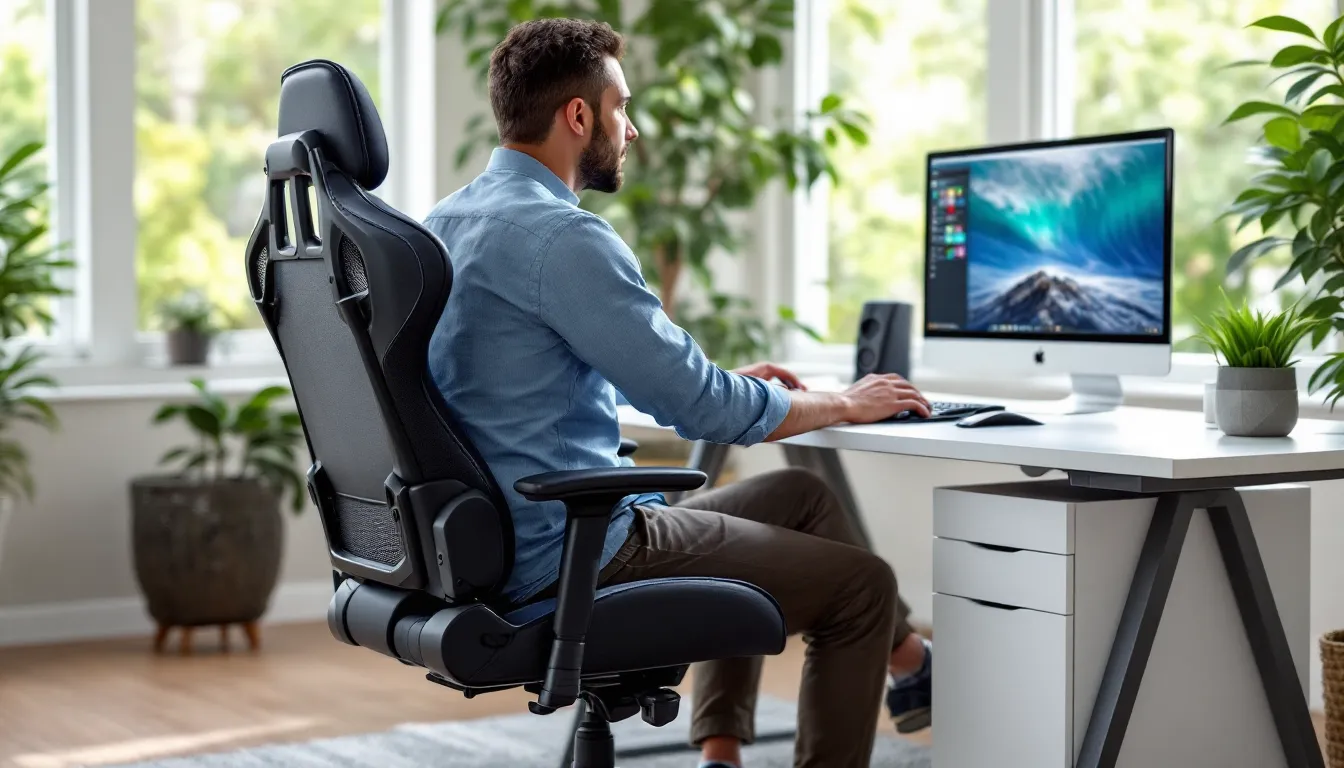

If you’re spending 6+ hours a week grinding ranked matches, streaming, or tearing through story campaigns, your chair matters more than you’d think. The difference between a solid setup and neck pain that follows you through the next day isn’t just comfort, it’s performance. Costco gaming chairs have carved out a solid reputation among budget-conscious gamers and pros alike, offering that rare combination of quality, affordability, and no-hassle returns. Whether you’re building your first streaming rig or upgrading from whatever’s been holding you up until now, Costco has options that punish neither your back nor your wallet. We’ll walk through what makes them worth your attention, which models hit different price points, and how to actually pick the right one for your setup.
Key Takeaways
- Costco gaming chairs deliver superior price-to-quality ratios compared to Amazon and Best Buy, often undercutting competitors by $50–$150 while maintaining equal or better construction standards.
- A 60-day return policy with no restocking fees makes Costco gaming chairs a risk-free investment—you can test the chair during full gaming sessions and return it guilt-free if it’s not right.
- The sweet spot for most gamers is the $250–$400 price range, where Costco gaming chairs offer real lumbar support, quality fabrics, and smooth recline mechanics that last 5+ years.
- Essential features to prioritize include adjustable lumbar support (both height and depth), a backrest that reclines 150–180 degrees, and independent control over seat height, armrest adjustability, and headrest positioning.
- Proper setup, assembly, and maintenance—including correct height adjustment, lumbar positioning, and regular cleaning—directly extend the lifespan and comfort of your gaming chair.
- Costco gaming chairs combine durability, ergonomic design, and buyer-friendly policies that make them the smarter choice than specialty brands for most gamers seeking value without compromise.
Why Costco Gaming Chairs Stand Out From The Competition
Costco gaming chairs aren’t flashy, but they don’t need to be. They solve real problems that gamers face: extended sessions causing lower back issues, cheap materials breaking after a few months, and buyer’s remorse because the return policy sucks. Costco flips that script.
Quality at Unbeatable Prices
You’ll notice something immediately when comparing Costco gaming chairs to Amazon or big-box electronics retailers, the price-to-quality ratio is genuinely better. A DPS gaming chair at Costco often undercuts competitors by $50-$150 while maintaining the same or better construction standards. That’s not a coincidence.
Costco’s warehouse model means lower overhead, and they pass savings to members. For a mid-range gaming chair in the $200-$350 range, you’re getting materials and build quality that competitors charge $400+ for elsewhere. The DPS 3D Insight gaming chair, for example, features adjustable lumbar support, fully reclining capability, and quality polyurethane leather on a frame that won’t creak after three months. That’s the kind of durability gamers actually notice.
Costco also negotiates directly with manufacturers, meaning better control over materials and specifications. You’re not getting warehouse-store-exclusive downgraded models here, you’re getting competitive products at member-exclusive pricing.
Costco’s Warranty and Return Policy
Here’s where Costco separates itself: their return policy is almost absurdly buyer-friendly. You’ve got up to 60 days to return a gaming chair, no questions asked, no restocking fees. That’s a massive deal when you’re dropping $200-$600 on something as personal as a chair.
Most online retailers cap returns at 14-30 days. Brick-and-mortar big-box stores often charge 15-25% restocking fees. Costco’s approach means you can actually live with a chair for a few weeks, test it during a full raid night, see if your posture improves, and still return it if it’s not right. That window is genuinely generous and reflects Costco’s confidence in their products.
Warranties on Costco gaming chairs vary by model, but you’re typically looking at 1-3 year coverage on structural defects. Some models (like the DPS gaming chair options) include additional protection against stitching failures and fabric wear, which matters when you’re running 8-10 hour streaming marathons. The actual warranty service is straightforward, Costco handles claims quickly without the typical manufacturer runaround.
Top Gaming Chair Models Available at Costco
Costco’s gaming chair lineup shifts slightly by warehouse location and season, but the core models remain consistent. The selection typically spans budget options for casual gamers and premium chairs for anyone treating esports seriously.
Budget-Friendly Options Under $300
For casual players or anyone on a tight budget, Costco keeps entries starting around $150-$200. These chairs sacrifice some aesthetic flash and premium materials but don’t skimp on the fundamentals. You’re getting recline functionality, basic lumbar adjustment, and enough padding to survive 4-5 hour sessions without your tailbone staging a revolt.
One popular budget pick is a basic gaming chair in the $200-$250 range featuring adjustable armrests, 360-degree swivel, and five-star base with decent rolling wheels. It’s not going to turn heads in a streaming overlay, but it won’t betray you during a ranked grind either.
Costco also stocks mid-budget gaming chairs around $250-$300 that add actual value: better quality fabrics, more robust lumbar support cylinders, and sturdier gas pistons that won’t deflate after a year. If you’re looking for real comfort without premium pricing, this is where the sweet spot usually lands. The gaming chair Costco inventory at this tier often includes models with footrests or better recline angles.
Premium Chairs for Serious Gamers
Costco’s premium section ($400-$600+) targets streamers, esports competitors, and anyone whose chair is basically a second desk. The DPS 3D Insight gaming chair sits in this range and represents what serious gamers should be looking at.
These chairs feature upgraded materials like memory foam seat cushions, enhanced lumbar cylinders with better adjustment granularity, premium leather or mesh fabrics that breathe better during long sessions, and bases engineered for stability even at extreme recline angles. You’re also getting higher weight capacities, premium chairs often support 250-300+ lbs with zero compromise in smoothness.
The DPS gaming chair Costco availability includes models with 180-degree reclining, 4D armrest adjustments, and headrest/lumbar pillows that actually stay in place. These aren’t aesthetic upgrades: they’re functional differences that matter during competitive play. When you’re ADS-ing in a shooter or grinding through a long stream, having genuine support beats RGB lighting every single time.
Costco also carries premium options from established gaming furniture brands that you’ll recognize if you follow esports. These models feature proven designs that pro players use, though at Costco prices rather than direct-from-brand pricing. You’re getting the same chair that appears in tournament setups, just without the 40% markup.
Essential Features to Look For in a Gaming Chair
Not all gaming chairs are built the same, and knowing what actually matters prevents you from paying for fluff or choosing something that’ll wreck your posture after a month.
Ergonomic Design and Lumbar Support
This is non-negotiable. Real lumbar support isn’t an RGB light or a vague “ergonomic” label, it’s a specific, adjustable system that supports the natural curve of your spine. Look for chairs with lumbar adjustment mechanisms that move up and down independently from the backrest itself. Cheaper chairs bolt the lumbar pad directly to the back: better ones let you dial in exactly where support hits.
The lumbar cylinder should be adjustable in both height and depth (how far it pushes out toward your back). During a 6-hour session, that difference prevents the lower back fatigue that makes you shift constantly and kills focus. If you’re already dealing with any back issues, lumbar support moves from “nice to have” to essential.
The backrest angle matters too. Gaming chairs need aggressive recline capability, ideally 150-180 degrees. Straight-backed office chairs force you into a fixed posture: gaming chairs should let you lean back, shift angles, and find what works for extended play. The reclining mechanism should be smooth and responsive, not requiring three hands to adjust.
Material Quality and Durability
This is where Costco gaming chairs prove their value. Budget manufacturers use thin PU leather that cracks within a year: Costco’s mid to premium models use thicker polyurethane or genuine leather that actually lasts. Check the material specification, real thickness matters. A 1.5mm polyurethane leather will outlast 0.5mm by years.
Seams are a hidden durability tell. Run your hand along the stitching: if it’s loose, uneven, or has gaps, that’s future failure. Costco’s gaming chairs, particularly at the $300+ price point, feature reinforced stitching patterns that stay intact through thousands of hours of use.
Mesh vs. leather is a personal call. Leather or polyurethane leather looks more professional and is easier to wipe down, but mesh breathes better during hot streams or summer gaming marathons. High-quality gaming chairs often offer hybrid constructions, leather on the seat and back, mesh on the sides for airflow. That’s the sweet spot if you care about both durability and comfort in long sessions.
Adjustability and Comfort Settings
A chair that doesn’t adjust is a chair that doesn’t fit. You need independent control over:
- Seat height (should adjust smoothly via gas cylinder, covering at least 3-4 inches of range)
- Backrest recline (150-180 degree range, not just a tilt function)
- Armrest height and depth (4D adjustment is ideal, up/down, forward/backward, inward/outward, and angle)
- Lumbar support (both height and depth, as mentioned)
- Headrest (removable or adjustable, though this is nice-to-have rather than critical)
Each adjustment should use quality mechanisms, smooth tilt tension, responsive gas cylinders, and metal hardware rather than plastic. If armrests feel wobbly or recline locks don’t hold at extreme angles, that’s poor manufacturing. Costco gaming chairs in the mid-tier and above usually nail these details: budget options sometimes compromise on precision adjustment.
How to Choose the Right Costco Gaming Chair for Your Needs
Picking the right chair comes down to matching your setup, budget, and comfort priorities. Here’s how to narrow it down.
Consider Your Gaming Setup and Space
First, measure your actual space. Gaming chair footprints vary, some are compact, others sprawl. If you’re in a tight dorm room or bedroom, a full-size premium chair with maximum recline might physically dominate the space. Base diameter matters too: chairs with wider bases roll more smoothly but take up more real estate. Costco gaming chairs range from compact ~28-inch bases to wider ~34-inch bases.
Consider your desk height and how the chair will sit relative to your monitor. A chair that reclines too far might force you to crane your neck upward at your monitor during competitive gaming. If you’re streaming and have camera angles to worry about, the chair’s appearance in your background becomes part of the decision (though you shouldn’t let aesthetics override actual comfort).
If you’re also using the chair for non-gaming purposes, studying, general computer work, you might lean toward chairs that look more professional than full racing-rig style. Costco stocks options across the aesthetic spectrum, from understated black or gray to more aggressive dual-color designs.
Match Your Budget to Performance Expectations
Here’s the real talk: a $200 Costco gaming chair will serve a casual player better than a $200 Amazon chair. But a $350 Costco chair won’t match a $600 premium chair in durability or comfort finesse. Know what you’re paying for at each tier.
Under $250: Handles casual gaming (10-15 hours weekly) and general office use. Don’t expect premium materials or five-star adjustability. These work, they’re comfortable for their price, but they’re not investments.
$250-$400: The sweet spot for most gamers. You’re getting real lumbar support, quality fabrics, smooth recline mechanics, and chairs that’ll genuinely last 5+ years with normal use. This tier is where gaming chair Costco options really shine, you’re getting mid-premium features at near-budget pricing.
$400+: Premium territory. You’re paying for top-tier materials, advanced adjustment systems (4D+ armrests, advanced lumbar), and engineering that mirrors pro-level setups. Justifiable if you’re streaming full-time, competing, or simply have chronic back issues that demand the best solution.
Assess Your Comfort Priorities
Different gamers have different pain points. If your legs go numb during long sessions, prioritize footrests and seat depth adjustability. If your neck is the weak point, look for chairs with better headrest support or higher backrests that extend further up. If your shoulders/upper back are the issue, focus on backrest angle range and armrest quality.
Practically speaking: visit your local Costco warehouse if possible and actually sit in the chairs. A 10-minute test-sit reveals far more than specs. Test the recline, adjust the lumbar support, feel the armrest quality. If you can’t visit in person, Costco’s 60-day return policy means you can order, live with it for weeks, and return guilt-free if it’s not right.
Setup, Maintenance, and Care Tips
A good gaming chair needs proper setup and basic maintenance to deliver years of comfort. Skip this and even a $500 chair degrades faster than it should.
Assembly and Initial Setup
Most Costco gaming chairs arrive partially assembled, base, cylinder, and wheels are usually pre-installed. You’ll typically attach the backrest, armrests, and any adjustable lumbar/headrest components. Assembly usually takes 15-30 minutes with basic tools (allen wrench, usually included).
Follow the instruction manual precisely. Don’t skip steps or jury-rig attachment points. The backrest bolts need actual tension: a loose backrest will develop flex and creaking within weeks. Make sure gas cylinders are fully seated and that locking mechanisms click into place.
After assembly, spend 20 minutes dialing in your adjustments. Set seat height so your feet rest flat on the floor with knees at 90 degrees when sitting upright. Adjust backrest recline to a comfortable working angle, then dial in lumbar support to match your spine’s natural curve. Armrests should be at roughly elbow height when sitting normally. Getting these right from the start prevents the “something feels off” frustration that builds over weeks.
The gas cylinder needs a break-in period. During the first 5-10 hours of use, you might notice slight height changes as the cylinder seats. This is normal. If the chair keeps losing height significantly after a week, contact Costco for a replacement, it’s a manufacturing defect covered under their returns.
Cleaning and Preventing Wear
Regular cleaning extends a gaming chair’s life dramatically. For polyurethane leather, a damp microfiber cloth weekly wipes away dust, sweat, and oils that degrade the material. For mesh sections, a soft brush removes dust before it gets ground into fibers. Avoid harsh chemicals: warm water with mild soap is sufficient.
Prevent damage by keeping sharp objects away from the fabric. This sounds obvious until you’re gaming with a mechanical keyboard resting against your backrest or your gaming backpack’s zipper rubbing against the side. Small punctures grow quickly.
Armrests take beating from mouse elbows and aggressive desk positioning. If you notice stitching coming loose around armrests, address it early with a simple stitch before it unravels the entire cover. Costco’s extended return windows mean you can file for replacement if damage appears within 60 days, but prevention is easier than returns.
Casters (wheels) should roll freely. If they start sticking or squeaking, they’re picking up dust and buildup. A quick cleaning with a damp cloth removes most issues. If a wheel becomes damaged (happens more often than you’d think with aggressive repositioning), check if you can swap individual wheels rather than replacing the entire base.
For reclining mechanisms, don’t force them. If recline is sticky or doesn’t lock properly, don’t keep trying to adjust it, that strains the mechanism. Usually, a light coating of silicone lubricant on the recline tracks solves the problem without requiring service. Keep the gas cylinder vent clear (usually a small hole at the base): dust buildup here affects pressure and can cause height loss.
Costco Gaming Chairs vs. Other Retailers
How do Costco gaming chairs stack up against Amazon, Best Buy, and direct brand purchases? The comparison matters because it validates whether the Costco investment makes sense.
Price advantage: Costco gaming chairs consistently undercut Amazon for the same models by $40-$120. A DPS gaming chair Costco model priced at $350 in-warehouse might sell for $450+ on Amazon. Best Buy occasionally runs sales but rarely beats Costco’s everyday pricing. Specialized gaming furniture brands (Secretlab, Herman Miller) maintain higher prices everywhere, making Costco’s deals on mass-market chairs all the more attractive.
Quality consistency: Amazon gaming chairs range wildly in quality because the marketplace mixes legitimate manufacturers with drop-shippers using identical molds but cutting material corners. You can’t always tell which is which until it arrives. Costco vets their inventory more strictly, meaning less QA roulette. You’re not getting that random bait-and-switch where reviews promised quality but your actual chair feels cheap.
Return policy: This is Costco’s nuclear weapon. 60 days, no restocking fees, zero friction. Amazon technically allows returns but charges restocking fees and makes the process slower. Best Buy’s policy is even more restrictive. That difference matters when you’re risking real money.
Warranty support: Costco handles warranty claims directly and quickly. Amazon routes you through third-party sellers, Best Buy requires in-store visits. Costco’s service is measurably faster and simpler.
Discovery and availability: This is where other retailers win slightly. Amazon’s search and recommendation algorithms make finding niche products easier. Costco’s inventory changes seasonally and varies by warehouse, so your local store might not have every option. Online Costco shopping reduces this friction, though shipping for a heavy item adds time.
Specialized alternatives: If you want a premium brand like Secretlab, Aeron, or Herman Miller, you’re going direct or through specialty retailers, Costco doesn’t stock these. For gaming chair Costco shoppers, you’re trading brand prestige for real value. That’s usually the right call, but brand loyalty sometimes outweighs price sense.
The verdict: For most gamers, Costco gaming chairs deliver better value per dollar than Amazon or Best Buy. The inventory is more curated, the warranty is stronger, and the return policy is genuinely risk-free. You sacrifice some niche brand options and might need to shop warehouse inventory, but the savings and peace of mind usually justify it. For competitive gamers wanting specific pro-level brands, direct manufacturer sites offer configurations that Costco doesn’t carry, though at a premium. For everyone else, Costco is the smarter choice. If you’re optimizing your entire setup, you might also reference gaming hardware reviews for comparative context on specs and performance across different brands before making your decision.
Conclusion
A gaming chair isn’t just a luxury, it’s a long-term investment in comfort, posture, and performance during extended play sessions. Costco gaming chairs solve the core problem that most gamers face: finding quality without very costly or dealing with agonizing return processes.
The DPS 3D Insight gaming chair and other DPS gaming chair options at Costco represent what smart spending looks like in the gaming space. You’re getting ergonomic support designed for hours of play, durable materials that outlast cheaper alternatives, and the peace of mind that comes with Costco’s legendary return policy.
Start by assessing your budget tier, visit a warehouse to test options if you can, and commit to proper setup and maintenance. A well-chosen gaming chair from Costco will deliver years of comfortable gaming, streaming, and general computer work without the compromise or regret that often comes with cheaper alternatives or overpaying at specialty retailers.
Your back, neck, and posture will thank you, and your frame rate won’t suffer from distraction-related fumbles either. That’s the win-win that makes Costco gaming chairs worth your consideration in 2026.